Lima: The Easiest Way to Run any Linux Distro, Kubernetes, k3s and even Docker on macOS and Linux, Apple Silicon (M1/ARM64) compatible
Lima is a versatile and user-friendly command line tool (CLI) that empowers you to seamlessly run Linux virtual machines (VMs) on your macOS or Linux system. It's compatible with any Apple Silicon Mac (M1, M2, etc) ARM64 and Intel x86_64 processors, vice versa, without anything else
Lima is a versatile and user-friendly command line tool (CLI) that empowers you to seamlessly run Linux virtual machines (VMs) on your macOS or Linux system. It's compatible with any Apple Silicon Mac (M1, M2, etc) ARM64 and Intel x86_64 processors, vice versa, without anything else than a single command:
# Example: Run Kubernetes 64 bits on a Macbook Pro M2:

limactl create template://k8s --arch x86_64 --rosetta
Key Features
Effortless File Sharing and Port Forwarding: Share files and access VM services seamlessly.
Container Runtime Support: Built-in support for containerd and compatibility with other engines like Docker and Podman.
Cross-Architecture Compatibility: Run ARM-based Linux distributions on Intel-based Macs, and vice versa.
Diverse Linux Distributions: Choose from popular options like Ubuntu (default), Debian, Fedora, Arch Linux, and more.
With Lima, effortlessly share files and folders between your host operating system and the Linux VM, eliminating the need for cumbersome file transfer protocols or manual synchronization. This streamlines your workflow, whether you're editing code, working with documents, or transferring large datasets. Lima's automatic port forwarding simplifies access to services running within the VM, allowing you to interact with web applications, databases, and other network services hosted in the VM directly from your host system. This seamless integration significantly enhances your development, testing, and debugging processes.
Effortless VM Management and Customization
Lima's command-line interface (CLI) tool, limactl, provides intuitive commands for managing your VMs. Create, start, stop, and delete VMs with ease, all from the comfort of your terminal. Lima's extensive configuration options enable you to tailor the VM to your specific needs. Easily allocate resources like CPU cores, memory, and disk space, or fine-tune network settings, port forwarding rules, and other parameters. This flexibility empowers you to create VMs optimized for specific tasks, ensuring optimal performance and resource utilization.
A Versatile Tool for Diverse Use Cases: Linux, Kubernetes, and Beyond
Lima's applications extend far beyond simply running Linux distributions. Its container-friendly nature and support for various container runtimes, such as containerd, Docker, and Podman, make it an ideal platform for containerized workloads. Whether you're developing cloud-native applications, experimenting with container orchestration tools like Kubernetes, or building portable development environments, Lima provides a solid foundation for your container-based workflows. Lima's versatility shines through its compatibility with a wide range of guest operating systems, including popular Linux distributions like Ubuntu, Debian, Fedora, and many more. This allows you to choose the environment that best aligns with your project requirements and personal preferences.
Installation Made Simple
Getting started with Lima is a breeze, thanks to its multiple installation options:
Homebrew (macOS and Linux):brew install lima
Nix (macOS and Linux):nix-env -i lima
Source (advanced users): Clone the repository, compile, and install.
Whether you're a developer looking to test applications in a Linux environment, a system administrator managing Linux servers, or simply curious about exploring Linux distributions, Lima provides a user-friendly and efficient solution. It simplifies the setup and management of Linux VMs, offering the flexibility and power you need to work effectively with Linux on your preferred platform.
Empowering Your Workflow with Lima
Dive into the world of Linux VMs with Lima and unlock a new level of productivity and versatility in your work. Its intuitive interface, rich feature set, and cross-platform compatibility make it an indispensable tool for anyone seeking to harness the power of Linux on macOS or Linux. With Lima, you have a powerful ally to streamline your development, testing, and administration tasks, allowing you to focus on what truly matters – achieving your goals with the efficiency and reliability that Linux provides.
Bonus Track: Running Docker on macOS without Docker Desktop
Lima can also be used as a lightweight and efficient alternative to Docker Desktop on macOS. By leveraging Lima's virtualization capabilities and Docker's containerization technology, you can create a seamless Docker environment without the overhead of Docker Desktop. This approach offers faster startup times, reduced resource consumption, and a more streamlined Docker experience tailored to your specific needs.
💡
How to install Docker on macOS without Docker Desktop:
# to create and start a Lima instance pre-configured for Docker

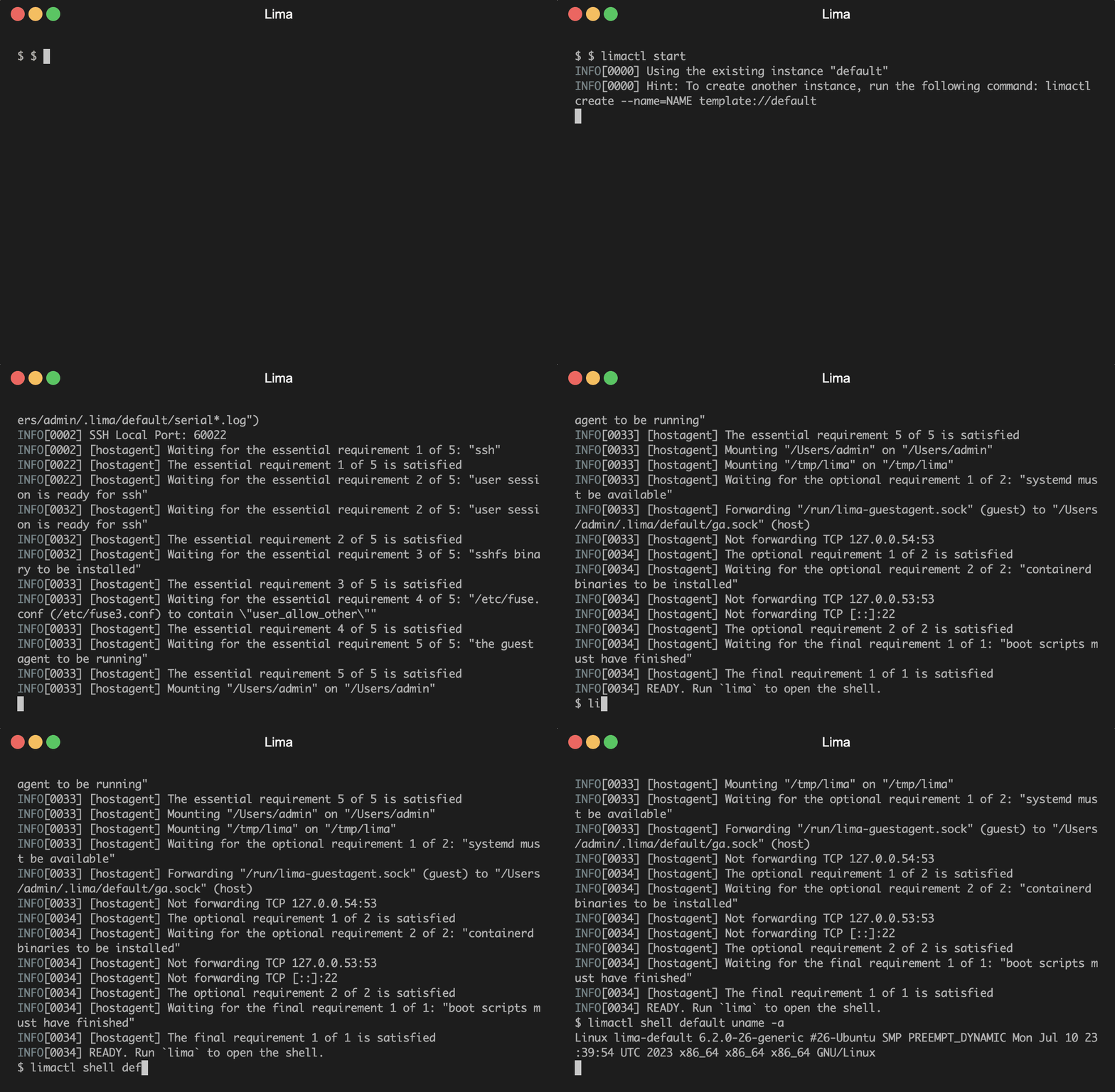
limactl start template://docker
With Docker running on Lima, you can now use the `nerdctl` command (or the `docker` command after appropriate configuration) to interact with Docker as you normally would. Enjoy the benefits of a lightweight and efficient Docker environment without the need for Docker Desktop.